


Baby & toddler preschool games
4.5178.00 Reviews
App Specs
- Version
- 1.109
- Updated On
- License
- Free
- Downloads
- 5,000,000+
- Developer
- Bimi Boo Kids Learning Games for Toddlers FZ-LLC
- Categories
- Educational
- Platform
- Android
Screenshots
 Analysis by AppCompare
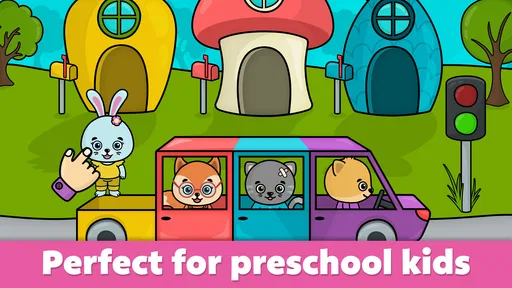
When a toddler and a preschooler share a device, even a simple game can become a small household negotiation: whose turn is it, which activity should they try, and when is it time to hand the phone back? Baby & Toddler Preschool Games is aimed at very young children, with short, colorful activities that invite tapping, matching, and sorting. I see its best use as a supervised way to occupy a brief stretch of the day while giving a child something more purposeful to do than scroll through general entertainment.
A practical fit for short shared-device turns
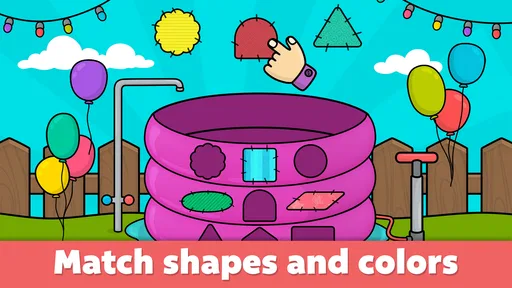
Picture a parent getting dinner ready while a toddler waits nearby. A few minutes with a shape or color activity can give the child a clear task to focus on, and the simple format makes it easier to pass the device between siblings than a game with a long story or complicated controls. I would still set a turn length before handing it over: an app can make waiting easier, but it cannot settle sibling disagreements or decide when screen time ends.
For shared use, I’d treat the game as a supervised activity rather than a device that children can freely browse. An adult can choose when it comes out, stay close enough to help if a child gets stuck, and take the device back when the activity is over. That routine is useful for families who share one phone or tablet, and it avoids assuming that the app itself manages turns or household boundaries.
Set the boundaries on the device, not by assumption
One point deserves particular care: the game is free to download, but it also offers in-app purchases priced at $5.99 per item. That makes it important to review the device’s purchase settings before a young child plays, especially if the device is shared or can be used without an adult nearby. I would not rely on a child’s age or the app’s playful presentation as a substitute for checking those settings.
It also helps to decide which adult is responsible for installing the game and handling any purchase choices. In a household where several caregivers use the same device, agreeing on that boundary prevents a child from getting different answers from different adults. The useful habit here is simple: make the purchasing decision an adult task, and keep the game session focused on play.
Small ways to make play more useful
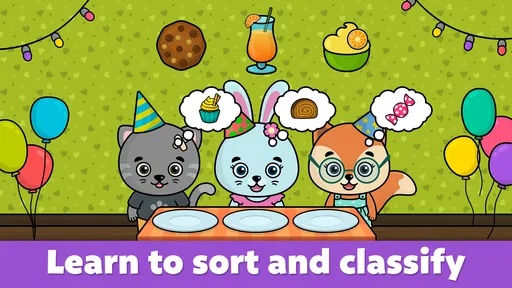
Rather than leaving a child to tap through activities without context, I’d use the game as a prompt for a quick conversation. If the screen asks for a shape or color, ask the child to find something similar in the room afterward. This turns a brief screen session into a bridge to real-world noticing without requiring extra equipment or turning play into a formal lesson.
For a child who is still learning how to handle touch controls, sitting beside them for the first few turns can be more helpful than giving repeated instructions. Let them try, then offer one short clue if they seem stuck. That approach gives the child a chance to practise dragging and tapping while keeping frustration from taking over. If the child is tired or losing interest, I’d stop rather than push through; an educational game works best when it remains a willing activity.
Worth Reading Before You Choose

EA SPORTS FC Mobile 26 Is a Bigger Football Game, but It Takes Time

Flipboard Shows What News Apps Must Do Beyond the Feed

Switching to Android Auto Means Rethinking Your Driving Routine

Google Calendar Makes a Crowded Week Easier to Manage

Ludo King Makes the Most of the Minutes Between Plans

Baby Panda World Brings Quick Play to Modern Phones, but Its Game Library Feels Busy
The activities also lend themselves to alternating between independent attempts and shared play. A child can try a task, then show a sibling or adult what they chose. With two children, I’d keep the focus on taking turns explaining or pointing, rather than comparing who finishes first. That makes the same simple activity more social without needing a competitive feature.
Who is likely to enjoy it—and who may want something else
This is most appealing for a young child who enjoys bright visuals, direct touch interactions, and early learning ideas such as shapes, colors, letters, or counting. It can suit a caregiver looking for a compact activity during a wait, a quiet moment at home, or a short transition between routines. Its educational-game category gives it a different purpose from a video app: the child is invited to act on the screen rather than simply watch.
It may be less satisfying for an older preschooler who wants longer challenges, a developing story, or a more open-ended creative activity. Families looking for a structured curriculum, detailed progress tracking, or a specific subject sequence may be better served by a dedicated learning program. And if your priority is screen-free practice, physical shape sorters, picture books, and everyday household objects offer a better fit. I’d choose this game as one option in a mix, not as a replacement for those experiences.
Compared with many general toddler games, the appeal here is the focus on familiar early-learning tasks and straightforward interactions. The trade-off is that simple activities can feel repetitive once a child has mastered them. That may be fine for a younger learner who benefits from repetition, but a child who quickly asks for new challenges may need an adult to switch to another activity rather than expect this one to hold attention indefinitely.
Age, trust, and adult judgement
The game is rated Everyone, and its intended audience is babies and toddlers, but an age label cannot tell a caregiver how a particular child will respond. Some children will manage basic tapping comfortably; others will need an adult nearby to guide them or keep the session brief. I’d judge readiness by the child’s interest and ability to use the device calmly, not by assuming every child in the same age range will be equally prepared.
It comes from Bimi Boo Kids Learning Games for Toddlers FZ-LLC, a developer focused on learning games for young children. The game has an average rating of 4.4 from around 20,000 ratings, with more than five million installs. Those figures suggest that many families have tried it, but they don’t guarantee that its pace or activities will suit your child. I’d use them as background, then make the decision based on a short, supervised trial.
For households that share devices, trust also means keeping the adult in charge of what is installed and when it is played. I would not treat a child-friendly theme as proof that every device setting is already configured for a family. Check the purchase controls, decide whether the child can use the device independently, and keep the session in a place where an adult can step in if needed.
How it fits into a normal day
A realistic use might be a short wait before leaving the house: a child gets a turn with a matching or sorting activity while an adult finishes getting ready, then the device is put away before it becomes a source of conflict. Another good moment could be a quiet break after outdoor play, when a child wants a calm activity but is not ready to settle with a book. In both cases, I’d decide on the stopping point first and avoid using the game as the default answer to every bored moment.
If more than one child is waiting, a simple spoken routine helps: one child chooses an activity, the other watches or joins in verbally, and then they swap. This does not require a special family feature; it is just a way to make a shared screen session predictable. For a very young child who struggles with waiting, keep turns short and have a nearby alternative ready, such as blocks or a picture book.
The game is free to download, runs on Android 7.0 or later, and its current version is 1.109. Those details matter when deciding whether it will work on an older household device. Before setting it up for a child, I’d check that the device can run it comfortably and that the adult responsible for the device is happy with the purchase settings. The app’s low barrier to trying it is useful, but a little preparation makes shared use smoother.
What the ratings and price mean in practice
A rating of 4.4 and a large install base can help a parent decide whether an app is worth considering, but neither tells you how long your own child will stay interested. I’d pay closer attention to whether the child can understand the task, recover from a wrong move, and stop without a major upset. Those are more useful signs of fit than a quick burst of excitement when the screen first appears.
Because the download is free and individual in-app purchases cost $5.99 each, families can approach it cautiously: try the available experience first, then decide whether any optional purchase is worthwhile. I would not promise a child access to extra content before an adult has reviewed the choice. In a shared household, that decision should be consistent among caregivers so a child is not encouraged to expect purchases from one person after another has declined.
What Makes It Stand Out?
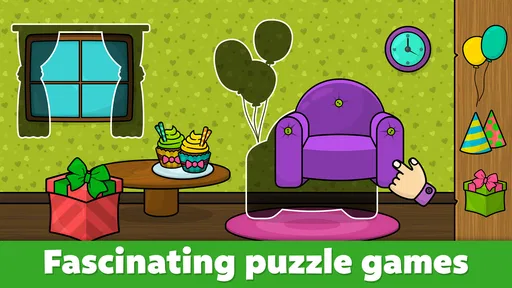
First off, let’s talk about the variety. The app boasts a range of mini-games that cover essential early learning skills. From basic math to recognizing shapes and colors, Baby & Toddler Preschool Games has it all. The games are engaging and colorful, which is perfect for grabbing the attention of young children. I noticed that the animations are smooth and the sound effects are just the right level of excitement to keep kids interested without overwhelming them.
User-Friendly Interface
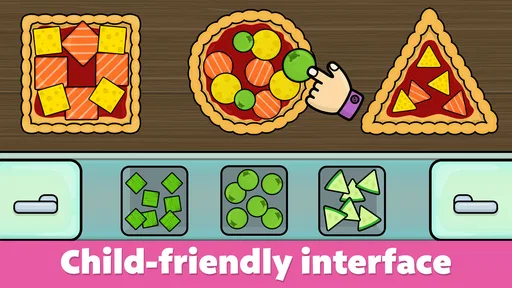
Now, I’m not a toddler, but I imagined myself as one while navigating the app, and I have to say, it’s pretty intuitive. The interface is designed with little fingers in mind. Big, bright buttons make it easy for kids to tap and explore. There’s no complicated menu system—everything is straightforward, which is exactly what you want in a kids' app. Trust me, your child will be off exploring in no time.
Educational Content
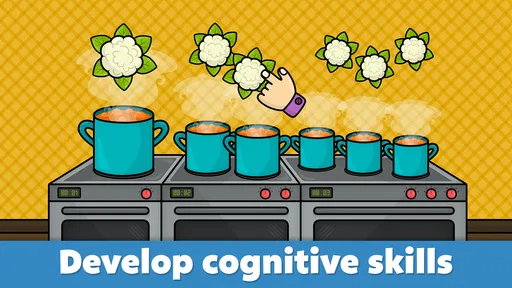
What impressed me the most was the educational content. The app seamlessly integrates learning into play, which is a huge win. As a parent, you want your child to have fun, but you also want them to learn something in the process. The app includes games that teach counting, alphabet recognition, and even problem-solving skills. It’s like sneaking vegetables into a meal—kids won’t even realize they’re learning!
Interactive and Engaging
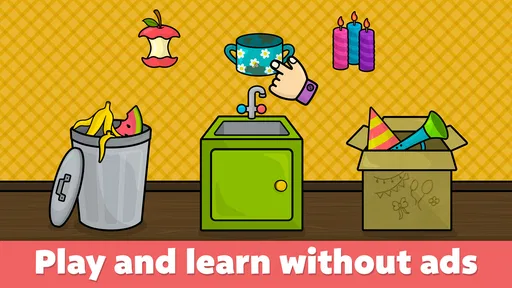
The developers have done a fantastic job at making each game interactive. For example, in one game, children can drag and drop shapes to fit into corresponding slots. This kind of interactivity not only keeps them engaged but also helps develop their motor skills. Plus, the encouragement they receive after completing a task—like a simple “Well done!”—gives them a confidence boost.
Safety Features
In today’s digital world, safety is a big concern for parents. You’ll be relieved to know that the app is designed with safety in mind. There are no in-app purchases or intrusive ads, which means your child can play without accidentally buying something or being exposed to inappropriate content. It’s a safe little bubble where kids can explore and learn.
Room for Improvement
While I’m singing praises, I must admit there are a few areas where the app could improve. For instance, adding more language options could make it accessible to a wider audience. Also, while the games are diverse, rotating in new games periodically would keep the content fresh and exciting for returning little players.
Final Thoughts
Overall, this educational game for babies and toddlers is a fantastic app for young children. It strikes the perfect balance between fun and education, making it a valuable tool for parents. If you’re looking for an app that will entertain and educate your child, this one is definitely worth checking out. Plus, it’s a great way to get a few minutes of peace while your child is happily engaged—what more could you ask for?
Pros
- Engaging and colorful graphics.
- Variety of educational activities.
- User-friendly interface for children.
- Encourages cognitive development.
- No in-app purchases.
Cons
- Limited free content available.
- Repetitive gameplay can bore quickly.
- Requires internet for some features.
- Ads may interrupt playtime.
- Limited parental controls.
FAQs for Baby & toddler preschool games
What age group is Baby & Toddler Preschool Games suitable for?
Baby & Toddler Preschool Games is designed for children aged 1 to 5 years. The app features age-appropriate activities that promote learning through play, focusing on basic concepts such as shapes, colors, numbers, and letters. It aims to provide a fun and educational experience that helps in early childhood development.
Does the app require an internet connection to function?
No, Baby & Toddler Preschool Games can be played offline. This is particularly useful for parents who want to keep their children entertained during travel or in locations without reliable internet access. However, some features, such as updates or additional downloadable content, may require a connection.
Are there any in-app purchases or ads in the app?
The app offers a range of free activities, but there are also optional in-app purchases available to unlock additional content. While the app is designed to be child-friendly, there may be ads present. Parents are advised to review the app’s settings to manage purchases and ad visibility.
How does the app support my child's learning and development?
Baby & Toddler Preschool Games uses interactive activities to enhance cognitive, motor, and language skills. The games are crafted to encourage problem-solving, creativity, and memory retention, helping children to learn foundational skills while having fun. Progress tracking allows parents to monitor their child's achievements and areas for improvement.
Is the app safe for my child to use?
Yes, the app is designed with child safety in mind. It includes parental controls to restrict access to certain features and protect personal information. The user interface is intuitive and easy for young children to navigate, reducing the likelihood of accidental purchases or exits from the game.


